
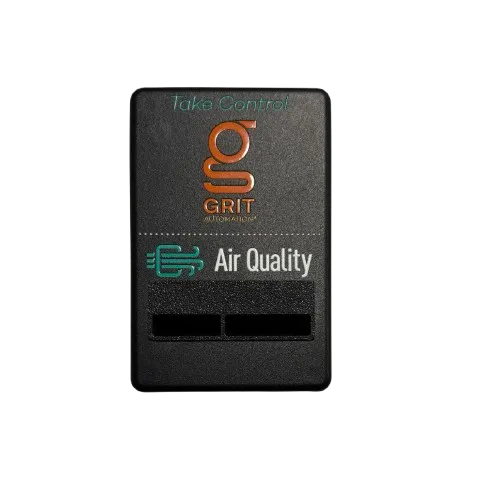
GRIT Air Quality
Air Quality Sensor
Measure shop air and run filtration from real conditions.
GRIT Air Quality uses a Sensirion SEN55 environmental node to monitor particulate, humidity, temperature, VOC Index, and NOx Index. The included RF outlet and handheld remote add automatic switching to a compatible air cleaner that does not have its own remote.
Key Features
- Five-part sensing: Measures particulate, relative humidity, temperature, VOC Index, and NOx Index.
- Configurable response: Set filtration thresholds and control behavior in the GRIT App.
- RF outlet control: Adds automatic switching with the included RF outlet and handheld remote.
- Local operation: Measurements, rules, and history stay on the GRIT Hub.
- GRIT mesh: Communicates with the GRIT Hub without relying on shop Wi-Fi at the sensor.
- Status LED: An RGB indicator shows device status at a glance.
Specifications
- SKU GH-AQ1002
- Sensor Sensirion SEN55 environmental node
- Particulate measurements PM1.0, PM2.5, PM4.0, PM10
- Environmental measurements Relative humidity and temperature
- Air-quality indices VOC Index and NOx Index
- Power 12V DC from a GRIT Power Bank or the included 120V wall adapter
- Connectivity GRIT mesh to GRIT Hub
- Status RGB LED
In the Box
- 1x GRIT Air Quality with RF Outlet (GH-AQ1002)
- 1x 120V wall power adapter
- 1x connection for 12V DC power from a GRIT Power Bank
- 1x plug-in RF outlet
- 1x handheld RF remote with battery
Compatibility
The included RF outlet adds automatic switching to compatible 120V air cleaners without built-in remote control, including many homemade filter systems. Confirm the connected air cleaner is compatible with the included RF outlet before ordering.
Installation
Place the sensor in the shop breathing zone, connect the included wall adapter or compatible 12V DC power, and pair it with the Hub through the GRIT App. Plug the air cleaner into the included RF outlet, then set the operating thresholds.
*GRIT Hub is required for device functionality.
Air Quality readings and history
Automatic VOC profile
With the updated SEN55 firmware, GRIT Air Quality automatically applies the 720-hour VOC learning profile. There is no profile to select or opt-in setting. This longer learning timescale helps retain changes over days and weeks; it is not a 30-day wait before readings appear.
VOC Index remains the sensor's relative gas reading. The sensor also reports particle levels, temperature, humidity, and NOx Index. NOx Index is not a measured NO₂ concentration.
Estimated TVOC adds two gas equivalents in µg/m³: Mølhave equivalent and isobutylene equivalent. Both are calculated from VOC Index using Sensirion's method, with conversion before averaging. They are two interpretations of the same sensor signal, not two separately measured gases. Actual gas mixtures vary; these estimates are not absolute TVOC measurements.
The updated firmware checks that the VOC profile was applied before providing estimates. Older firmware or an unverified profile can still provide ordinary monitoring, but estimated TVOC may be unavailable.
Software availability
These screenshots show PM1250 Shop on pre-release test software: GRIT Hub 1.1.1186 on the develop channel, SEN55 sensor firmware 3.1.82, and the updated screen typography. They show actual readings captured on October 23, 2026. Feature availability depends on your Hub and sensor software and update channel. If these readings are missing, contact GRIT to confirm a compatible update for your system.
Manufacturer documents
Read the Air Quality screen
Open your SEN55 Air Quality device in the GRIT App. The Device Monitoring card shows VOC Index alongside the two clearly labeled estimated TVOC values. The Air Quality Indicator and filtration threshold shown here are based on PM2.5.

Compare VOC and estimated TVOC history
- Choose View Monitoring, then History.
- Select a date range, then open Metrics.
- Select VOC Index, Estimated TVOC (Mølhave equivalent), and Estimated TVOC (isobutylene equivalent) to compare their recorded trends with PM2.5.
The chart keeps index values and µg/m³ on separate axes. Estimated TVOC history begins with compatible readings after the update; earlier VOC Index records are not retroactively converted. Newly collected readings can take up to five minutes to appear in saved history.

RESET Air and WELL
Sensirion's manufacturer guidance describes the gas-equivalent method and its limits. It does not establish RESET accreditation, WELL certification, or Works with WELL recognition for GRIT. For a building project, review the applicable program requirements, monitor eligibility, placement, reporting, and service plan.
-
Air Quality Configuration